Avatar guide
Bring your idle PNGtuber avatar to life.
PNGStage animated idle loops 2–8 PNG images that you upload in order. Use a small change in posture, expression, or hair to give your avatar movement between lines. Avatar Plus or the bundle unlocks frame sequences; hosts decide whether they appear on their stage.
Updated
PNGStage · Avatar Plus
Two drawings. One idle loop.
A small pose change gives this avatar a relaxed sway. Upload your own frames to create your own movement.
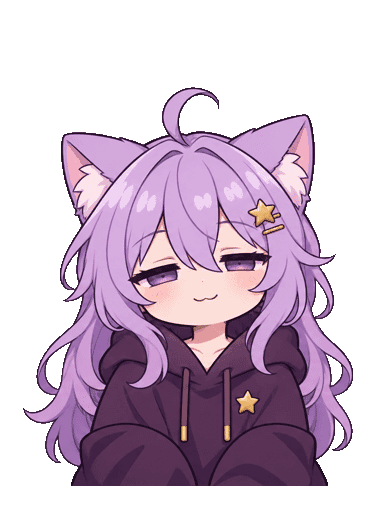
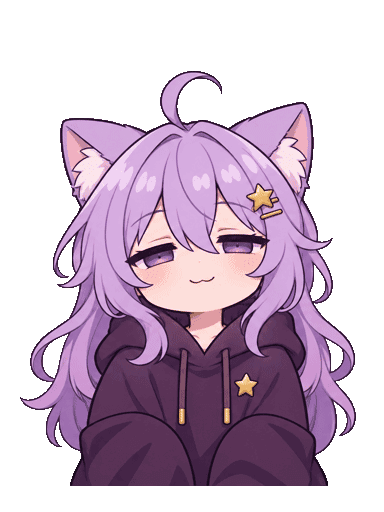
How do animated idle frames work?
Each avatar slot can have its own saved idle sequence. PNGStage cycles through your drawings in order, using one duration for every frame, then repeats. A two-frame sequence is enough to start; up to eight frames can make a more detailed loop.
You supply the artwork. PNGStage does not generate animation, interpolate between poses, or create extra frames. The example on this page uses two supplied drawings, held for 650 milliseconds each.
Set up your first idle sequence
Sign in with Discord and open My avatars. Create an avatar from transparent PNG states or import a compatible .veado file first.
- Open Animated idle on the avatar slot you want to animate.
- Choose Upload frames and select 2–8 transparent PNGs together.
- Drag the frames into playback order, or use Earlier and Later.
- Set Frame duration (milliseconds) between 100 and 2000. Start around 650 ms for a relaxed two-frame loop.
- Enable this idle sequence, use Preview talking pose to check the transition, and choose Save idle animation.
Prepare frames that line up
Use matching canvas dimensions, up to 2048 × 2048 pixels. Each PNG must be at most 1 MB, and the complete sequence at most 4 MB. Keep the character centered and aligned across the images so the avatar does not jump unintentionally.
PNGStage places all frames on one centered 512 × 512 playback canvas, with no individual cropping. Match the framing of your talking image. The general 1000 × 1000 source-art recommendation in the streamer guide is different from this normalized playback size.
What happens during speech, blinks, or loading?
Speaking immediately switches to your speaking artwork, and blinking pauses the idle loop. The overlay loads the frames and plays them locally; if a frame fails to load, it falls back to your static idle image.
Your own Avatar Plus or bundle subscription and the host’s animated-idle permission are both required for live playback. A host’s individual effect block or reduced-motion preference forces static idle. Replacing the base avatar clears that slot’s sequence; cancelling retains saved sequences, but playback requires paid avatar access.
Free idle shake or uploaded idle frames?
Idle shake adds gentle movement to one existing image and is free on every plan. Turn on Enable my idle shake under Idle shake · Free in My avatars, then choose Save idle shake. No extra drawings are needed.
Shake stops during speech and respects host permissions, individual effect blocks, and reduced motion. An active premium frame sequence takes priority, so the two idle effects do not stack. Speaking-mouth hold or cycle is another free preference and needs no host approval.
Common questions
Does PNGStage create the animation for me?
No. Upload 2–8 finished PNG drawings. PNGStage loops them in order with a shared frame duration and does not generate in-between frames.
Does the streamer need a paid plan for my idle animation?
No. Free hosts can allow animated idle. The avatar owner needs Avatar Plus or the bundle, and the host must permit that effect.
Do I need to keep the PNGStage website open?
No. After saving your avatar and sequence, you can close the site. Join the Discord voice channel watched by the streamer’s active PNGStage setup.
Can I choose a different idle loop for each avatar?
Yes. Sequences belong to avatar slots. Saved server identities and channel overrides select the corresponding avatar and its sequence.